> For the complete documentation index, see [llms.txt](https://docs.solapayments.com/llms.txt). Markdown versions of documentation pages are available by appending `.md` to page URLs; this page is available as [Markdown](https://docs.solapayments.com/products/deep-linking.md).
# Deep Linking
## Overview
* Deep link feature allows a third-party (in further text referred to as a Developer) to use a predefined URL to open up the pre-installed Sola mobile application in order to process a transaction.
* The Developer provides a number of required query parameters alongside any optional query parameters.
* The Sola app will use xRedirectURL with the required parameter to deliver the results of the processed transaction back to the caller. Results are provided as query parameters, appended onto the value provided by the xRedirectURL parameter. This is a GET request.
{% hint style="info" %}
*Due to the necessity of the API key in this integration method, we strongly recommend reserving these features for integrations to be used solely on merchant-owned devices.*
{% endhint %}
## 2. Glossary
A list of phrases, words, and synonyms that appear in this document; along with their meaning
**Sola API**
Refers to the Sola Transaction API, which can be found at
**Command**
A combination of a Payment type and a Transaction type, delimited by a semicolon. For example, cc:sale denotes a Credit Card Payment type and a sale transaction type.
**Payment type**
A type of payment, such as Credit Card (further abbreviated as “cc”), Check (further abbreviated as “check”). More payment types can be found on the Sola API site.
**Transaction type**
A type of transaction; such as Sale, AuthOnly, Capture etc. More transaction types can be found on the Sola API site.
## 3. Getting Started
Bare minimum, to integrate a mobile application capable of reacting to deep links with a website, is that the website should implement the logic that does the following:
1. Checks whether the application is installed on the mobile device or not.
2. If it’s not installed, the user is taken to the respective app store (AppStore for iOS or Google Play Store for Android).
3. if the software is installed, the target application is started.
Points 2 and 3 differ in the URLs that need to be invoked in order to achieve the described result (take the user to an app store or open the target application). Mobile browsers don’t offer an out-of-the-box API to detect if an application is installed on the device or not. As such, point 1 is the responsibility of the Developer to implement. This document assumes that the Sola app is preinstalled on a mobile device during the integration.
The Sola mobile app can be installed here:
a) Android:
b) iOS:
## 4. Deep Link Activation and Flow
The Sola app predefined URL is:
`dck://app.cardknox.com/transaction`
A Developer can use the predefined URL to open the Sola app in 2 ways:
1. Manually, by navigating to a predefined URL through a browser on a mobile device.
2. By having a website with an `HTML` element that can handle URLs and specifying the predefined URL on that HTML element.
> Android only - `adb` tool can be used to deep link into the app with the following code:
```
adb shell am start -a android.intent.action.VIEW -d "dck://portal.cardknox.com/cardknoxdeeplink" com.gateway.cardknox.android
```
A developer is required to pass in a couple of required parameters. These required parameters are first URL decoded and then validated by the application. Optionally, a number of optional parameters can be passed in in order to prefil the transaction process form:
```
dck://app.cardknox.com/transaction?xAmount=1.0&xKey=CardknoxSupport_Test&xRedirectURL=https://www.test.com/&xCommand=cc:sale
```
Example URL with all the required parameters and no optional parameters
### 4.1 Validation
Validation is performed on the required and optional arguments. A failing required parameters validation results in an error screen displaying which one of the required arguments is missing or is invalid.
Optional arguments are also validated, but the application will not present an error screen describing which optional parameter failed the validation. For example, the app expects the `xCVV` optional parameter to be an `int`. The app will read a query parameter named `xCVV` and try to convert its value to an `int`. Passing a `double` might break the conversion to an `int`, in which case 0 is used as the `int` default value.
Validation is done in 3 steps, where each step yields a different user interface:
1. The xRedirectURL is invalid - User is presented with a UI that indicates that the xRedirectURL is missing or the provided value is not a valid URL.
2. At least one of the required parameters is invalid - User is presented with a UI that indicates which parameter failed validation.
3. All required parameters are valid - User is presented with a UI to process a transaction.


```
https://www.test.com/?xError=Required+parameter%3a+xKey&xResult=E&xStatus=Error
```
Response URL invoked by the app when only the xRedirectURL required parameter is supplied.

```
https://www.test.com/?xError=Required+parameter%3a+xAmount&xResult=E&xStatus=Error
```
Response URL invoked by the app when the `xRedirectURL` and `xKey` required parameters are supplied. Note that supplying the `xCommand`parameter here will not make the app validate the `xCommand` parameter as it’s being validated after `xAmount.`

```
https://www.test.com/?xError=Required+parameter%3a+xCommand&xResult=E&xStatus=Error
```
Response URL invoked by the app when the `xRedirectURL`, `xKey` and `xAmount` required parameters are supplied.
### 4.2 Processing interface type options
The Sola app supports two user interfaces for transaction processing - one form interface (further abbreviated as “keyed screen”) and one card reader interface (further abbreviated as “swipe screen”).
Keyed screen allows processing with a card number, expiration date, cvv and other card specific information.
Swipe screen allows bluetooth pairing to a physical VP3300 card reader device, and transaction processing with card reader data readings; either with a card swipe (MSR / magnetic stripe cards) or by using the card with a chip (EMV card). The EMV card can be either tapped onto (“contactless”) or inserted into (“contact”) the VP3300 reader.
The app supports two **optional** query parameters to control which one, or both, of the two interfaces will be available once the app is invoked with a deep link:
* `EnableDeviceInsertSwipeTap`
* controls the availability of the **swipe** screen
* value type: boolean
* possible values: **true**, **false**
* example: `EnableDeviceInsertSwipeTap=true`
* `EnableKeyedEntry` - controls the availability of the keyed screen
* controls the availability of the **keyed** screen
* value type: boolean
* possible values: **true**, **false**
* example: `EnableKeyedEntry=true`
> When the parameter values are not parseable to an expected value type, the app treats the parameter as not being provided at all
Presence of query parameters in the deep link URL and their value controls which user interfaces should be presented, as per the following mapping:
| **EnableDeviceInsertSwipeTap** | **EnableKeyedEntry** | **Keyed UI available** | **Swipe UI available** |
| ------------------------------ | -------------------- | ---------------------- | ---------------------- |
| - | - | x | |
| true | - | x | x |
| false | - | x | |
| - | true | x | |
| - | false | x | |
| true | true | x | x |
| true | false | | x |
| false | true | x | |
| false | false | x | |
Mapping between the presence and value of `EnableDeviceInsertSwipeTap` and `EnableKeyedEntry` query parameters. Note that “-” symbol means “the parameter was not present in the URL”. Symbol “x” means that the UI is available.
{% hint style="info" %}
To enable Device processing screen only, ensure that *EnableDeviceInsertSwipeTap > True and EnableKeyedEntry is enabled and set to false*
{% endhint %}
> When both keyed and swipe user interfaces are available, each one contains an UI element to navigate to the other interface
Example of a keyed user interface. Note that the top right corner icon navigates the user to the swipe user interface.
Example of a swipe user interface which is scanning for nearby VP3300 card reader to connect to. Note that the button on the bottom navigates the user to the keyed user interface.
### 4.3 Transaction Processing

The user interface provides a button to process a transaction. The required parameters on the UI are the card number, expiration date, and the amount. The amount parameter is passed in through the URL. Expiration date defaults to the current month in the current year. The card number has to be typed in or provided as an optional argument with the `xCardNum` query parameter.
After the transaction is processed, two things can happen:
1. Transaction is approved - User will see a summary of the processed transaction. User has an option to click “Done” or “Signature.” Clicking on the “Done” button opens the mobile device browser with the URL specified by the xRedirectURL parameter. Transaction details are converted into key/value pairs and appended as a query string onto the xRedirectURL value. This is a GET request.
2. Transaction resulted in an error - User will not see the processed transaction summary. User will see the error message about what went wrong in a popup. User has an option to send the response back to `xRedirectURL` by clicking on any of the 2 Send buttons.

{% code title="" %}
```
https://www.test.com/?xResult=A&xStatus=Approved&xError=&xErrorCode=00000&xRefNum=441701775&xExp=0421&xDate=4%2f7%2f2021+8%3a04%3a58+AM&xAuthCode=382480&xBatch=6913571&xAvsResultCode=NNN&xAvsResult=Address%3a+No+Match+%26+5+Digit+Zip%3a+No+Match&xCvvResultCode=&xCvvResult=No+CVV+data+available&xAuthAmount=1.30&xToken=7848qp7h1qp7q8p199062qnh4h9mq2q7&xMaskedCardNumber=4xxxxxxxxxxx1111&xCardType=Visa
```
{% endcode %}
A successful transaction URL encoded response sent to the xRedirectURL
A successfully processed transaction that resulted in an error response from the Sola API. The error is displayed ‘as is’ and the user has an option to instruct the app to deliver the Sola API response to the xRedirectURL URL
```
https://www.test.com/?xResult=E&xStatus=Error&xError=Duplicate+Transaction&xErrorCode=01332&xRefNum=441702196&xExp=0421&xDate=4%2f7%2f2021+8%3a07%3a18+AM&xAuthCode=000000&xBatch=&xAvsResultCode=&xAvsResult=Unmapped+AVS+response&xCvvResultCode=&xCvvResult=No+CVV+data+available&xDuplicateAuthCode=382480&xDuplicateRefnum=441701775&xMaskedCardNumber=4xxxxxxxxxxx1111&xCardType=Visa
```
A erroneous transaction URL encoded response sent to the xRedirectURL
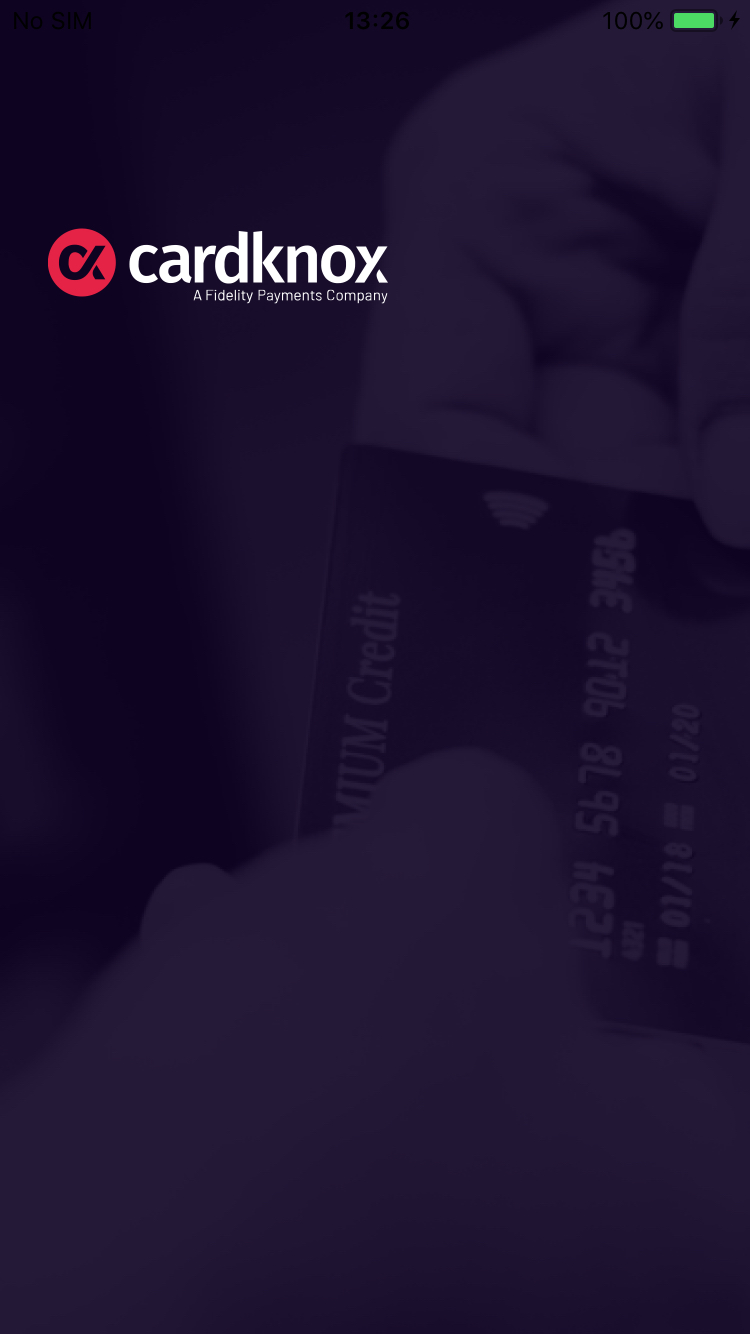
After the app sends the response back to the caller (by opening up the xRedirectURL in the mobile browser), the app’s UI is replaced with a full screen image displaying the Sola logo:
The UI presented in the application when the app delivers the results to xRedirectURL. User navigating back to the app from the browser would see this screen
### 4.4 Process Cancellation
When the user taps **Cancel** in the application, a DeepLink cancellation is processed.
| **Response** | **Value** |
| ------------ | ------------------ |
| xError | DeepLink Cancelled |
| xResult | E |
| xStatus | Error |
## 5. Required Parameters
| **Name** | **Type** | **Description** | **Sample data** | **Additional notes** |
| ------------ | -------- | ----------------------------------------------------------------------------------------------------------------------------------------------------------------------------------------------------------------------------------------------------------------------------------------------------------------------------- | ----------------------- | -------------------------------------------------------------------------------------------- |
| xKey | string | Sola account key | Sola | Has to be a non-empty, non-pure-whitespace string. |
| xCommand | string | Sola transaction type | cc:sale |
Has to be lowercase.
Supported values are all values supported by the Sola API.
|
| xAmount | double | Total amount of the transaction, including tax and tip, if applicable. | 3.0 | |
| xRedirectURL | URL |
A URL where the Sola app delivers the results of processing a transaction.
URL needs to have a schema/protocol alongside the domain name.
Results are delivered by the app, appending the Sola API response to this value and opening the URL on the mobile device’s browser.
This is a GET request.
| | |
## 6. Optional parameters
| **Name** | **Type** | **Description** | **Sample data** |
| --------------- | -------- | --------------------------------------------------------------------------------------------------------------------------------------------------------------------------------------------------- | --------------------- |
| xAllowDuplicate | bool | By default, Sola rejects duplicate transactions within 10 minutes of the original transaction. This command overrides that safeguard. True/False allowed. | False |
| xExp | string | The card expiration number. Format: MMYY | 1249 |
| xCardNum | string | The customer card number. | 4444333322221111 |
| xCustReceipt | bool | True/False value indicating if the email address specified in `xemail` should receive a receipt containing the transaction details. | False |
| xEmail | string | The customer’s email address. | |
| xCVV | string | 3-digit code from the back of the card (for Amex, 4-digit code from the front of the card). | 123 |
| xName | string | The cardholder’s name. | John Doe |
| xInvoice | string | The merchant’s invoice number for the transaction. `xInvoice` is recommended when available for improved duplicate handling. | 123456A |
| xPoNum | int | The merchant’s purchase order number for the transaction. | 123485 |
| xDescription | string | Additional data optionally passed along for reporting. | This is a description |
| xUserName | string | User’s name | John |
| xZip | string | The billing zip code of the cardholder. | 11111 |
| xStreet | string | The billing street address of the cardholder. | 123 Any Street |
| xRefNum | double |
Used to reference a previous transaction when doing a follow-up transaction, typically a refund, void, or capture.
Note:xRefnum can be a 64-bit number.
| 81234568 |
| xCustom01 | string | 3 custom fields are available for custom data, such as customer comments, etc. Use `xCustom01` through `xCustom03`. | |
| xAuthCode | double | `xAuthCode` is a verification number provided by the issuing bank to be used with the `cc:postauth` command. | T4321A |
| xBillCity | string | The customer’s city for their billing profile. | Anytown |
| xBillCompany | string | The customer’s company name for their billing profile. | Acme |
| xBillCountry | string | The customer’s country for their billing profile. | USA |
| xBillFirstName | string | The customer’s first name for their billing profile. | John |
| xBillLastName | string | The customer’s last/family name for their billing profile. | Doe |
| xBillState | string | The customer’s state for their billing profile. | NY |
| xBillStreet | string | The customer’s street address for their billing profile. | 123 Any Street |
| xBillPhone | string | The customer’s phone number for their billing profile. | 8005551212 |
| xBillZip | string | The customer’s zip code for their billing profile. | 12345 |
| xShipCity | string | The customer’s city for their shipping profile. | Anytown |
| xShipCompany | string | The customer’s company name for their shipping profile. | Acme |
| xShipFirstName | string | The customer’s first name for their shipping profile. | John |
| xShipLastName | string | The customer’s last/family name for their shipping profile. | Doe |
| xShipState | string | The customer’s state for their shipping profile. | NY |
| xShipStreet | string | The customer’s street address for their shipping profile. | 123 Any Street |
| xShipPhone | string | The customer’s phone number for their shipping profile. | 8005551212 |
| xShipZip | string | The customer’s zip code for their shipping profile. | 11111 |
---
# Agent Instructions
This documentation is published with GitBook. GitBook is the documentation platform designed so that both humans and AI agents can read, navigate, and reason over technical content effectively. Learn more at gitbook.com.
## Querying This Documentation
If you need additional information that is not directly available in this page, you can query the documentation by asking a question.
Perform an HTTP GET request on the following URL with the `ask` and `goal` query parameters:
```
GET https://docs.solapayments.com/products/deep-linking.md?ask=&goal=
```
`ask` is the immediate question: it should be specific, self-contained, and written in natural language.
`goal` is what the user is ultimately trying to achieve, the reason they need the answer. Sharing it helps GitBook give you a better, more relevant answer. A goal is most helpful when it describes the outcome the user wants rather than restating the question. For example, with `ask=how do I create an API token`, a goal like `automate deployments from our CI pipeline` lets GitBook tailor the answer to that use case.
The response will contain a direct answer to the question and relevant excerpts and sources from the documentation.
Use this mechanism when the answer is not explicitly present in the current page, you need clarification or additional context, or you want to retrieve related documentation sections.